One chart of accounts for a whole network of institutions
Every institution in a network keeps its books its own way. The regulator wants them all in one format. Chart Harmoniser is the web app we built to close that gap, and most of what made it work had nothing to do with clever code.
The problem: same money, different numbers
Each institution numbers its accounts its own way in ALPHA, its accounting software. That works fine inside one institution. It stops working the moment a network needs everyone on the same accounts, and COBAC, the regional banking regulator, wants reports in one official format: the PCEMF chart of accounts and the FM1000 statement.
So someone has to translate every institution's trial balance into the network's accounts, one line at a time, and check that nothing was lost on the way. Done by hand in a spreadsheet, that is slow, and the mistakes are quiet ones: a balance that lands on the wrong account still adds up.
Start from the file people already have
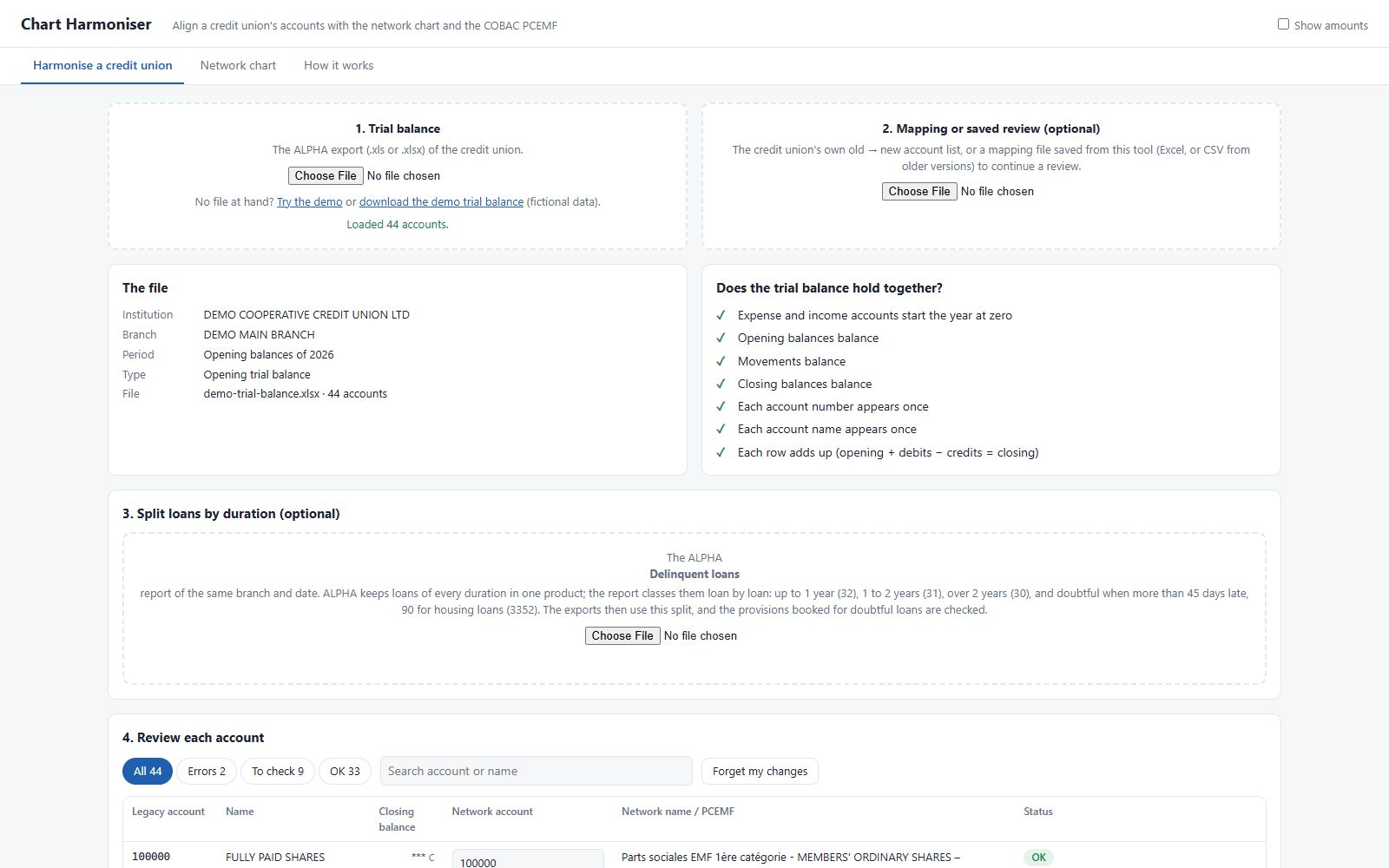
We did not ask anyone to change how they work. The app starts from the export ALPHA already produces: load the trial balance, and if the institution has already made its own old-to-new account list, load that too.
This is the most important decision in most web apps we build. A system that asks people to retype their data, or switch software, has to win an argument before it can help. A system that accepts the file they already make starts helping on day one.
Check before you transform
Before mapping a single account, the app checks that the file holds together: opening, movement and closing balances all balance, each account number and name appears once, and every row adds up (opening plus debits minus credits equals closing). If any of that fails, the right move is a fresh export, not a clever workaround, and the app says so.
Then it goes through every account and sorts them into what is fine, what needs a look, and what is wrong. The person reviewing fixes the errors first, then the ones to check, picking the right network account from a list. Their choices are remembered in the browser, so a review can be picked up where it was left.
The hard part: loans by duration
COBAC wants loans reported by their initial duration, but ALPHA keeps short and long loans together in one product. The trial balance alone cannot tell them apart.
The ALPHA delinquent loans report can, because it lists every loan. So the app can read that report too, and classify each loan the way the regulation sets out:
- Doubtful: more than 45 days late (90 for a housing loan), whatever its duration. Once one of a member's loans is doubtful, all of that member's loans are.
- Otherwise by instalments, which are monthly: up to 12 is up to a year, 13 to 24 is one to two years, more than 24 is over two years.
From each loan it reads only four things: the member's account number, the balance, the days late and the number of instalments. Never the member's name. It did not need the name, so it does not take it. That is a small design choice, and exactly the kind that matters when the data belongs to someone's savings.
Flag, never silently fix
Some things the app cannot know from the files. A loan report does not show which loans are covered by pledged savings or a guarantee, so when it checks provisions for doubtful loans, it assumes the strictest case and compares that with what is booked. If there is a shortfall, it raises a warning on those accounts. It does not change the figures.
That is a rule we hold to in every finance tool: the software points at the problem, and a person who can see the paperwork decides. An app that quietly adjusts a balance it does not fully understand is worse than no app.
What comes out
At the end, the app exports three files: the mapping, so the work is never repeated; the harmonised trial balance; and the FM1000 statement. It runs in the browser, with nothing to install, and a "How it works" tab explains every rule it applies, in plain language, for whoever has to defend the numbers later.
What we would tell anyone planning a web app
- Accept the file people already make. Adoption is won before the first screen.
- Check the input before you trust it. Most errors are cheaper to catch at the door.
- Take only the data you need. Then you never have to protect the rest.
- Flag, do not fix, wherever a person knows something the software cannot.
- Write the rules down inside the app. The person who signs the report will thank you.